Three Problems. One Tool.
Most dive planning software has at least one of these problems. DiveCommand was built specifically to solve all three.
If Your Computer Runs It,
DiveCommand Matches It.
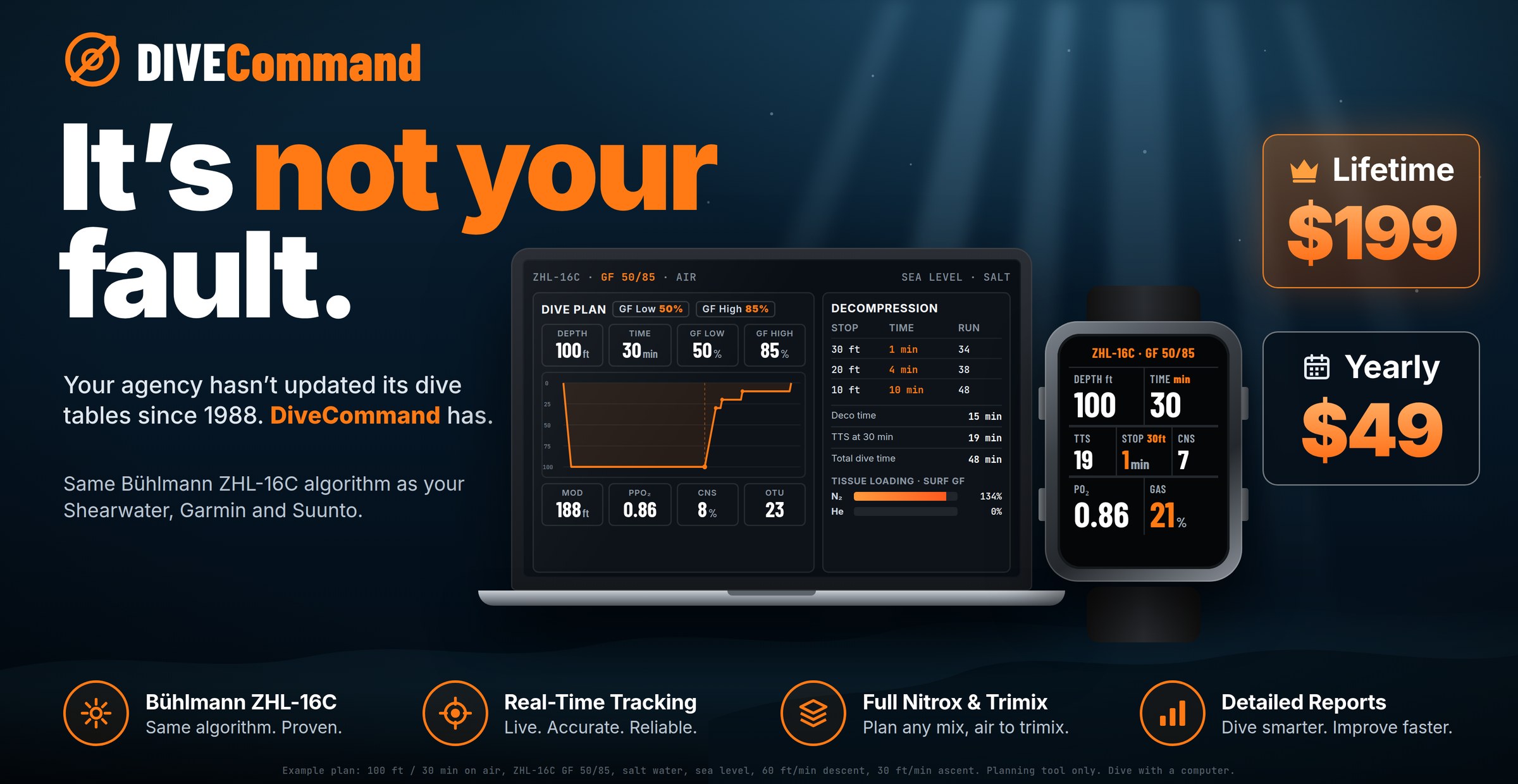
Bühlmann ZHL-16C at GF 40/85 is the factory default on every major dive computer. DiveCommand uses the same constants, compartment half-times, and gradient factor implementation — verified using an independent Python reference implementation, not self-comparison.
12,067 test cases spanning every depth, gas mix, and GF combination. Agreement at Δ=0 at every single case. The validation harness is a public, self-contained HTML file — open it in any browser and run the tests yourself.
Altitude Corrections. One Tap.
Diving at elevation changes every calculation you make — reduced atmospheric pressure lowers M-values in every tissue compartment, which shortens NDLs. Same depth, same gas, shorter no-stop time. DiveCommand handles it automatically: set your elevation and every NDL, ppO₂, and decompression obligation recalculates instantly. The correction is built into the core ZHL-16C calculation, not a post-processing adjustment.
From First Reef Dive to 330ft Trimix Profile
The same validated engine scales from a single recreational no-stop dive to a multi-gas technical decompression profile.
Your Instructor.
Always Available.
DiveCommand includes an interactive AI dive planning assistant — tap the instructor button in the corner of the planner and ask it anything. Why is my NDL shorter at altitude? What does 90% nitrogen load mean? How do gradient factors affect my ascent?
The assistant is trained on DiveCommand’s exact specs — Bühlmann ZHL-16C, the Δ=0 verification, GF 40/85 defaults, altitude corrections, and how every calculation works. It answers in plain language, like a knowledgeable instructor talking through a concept — not a manual entry.
Your dive plans never leave the device. The assistant only needs internet to answer questions — not to run the planner.
Not Self-Comparison. A Second Codebase.
DiveCommand’s ZHL-16C engine was validated using a Python reference implementation written entirely from scratch — a separate codebase, the same Bühlmann 1990 constants, no shared code with the JavaScript engine. Both were tested across 12,067 cases spanning every depth, gas mix, and GF combination. Agreement at Δ=0 at every single case. The harness is a self-contained HTML file — open it in any browser and run all 12,067 tests yourself.
What You Get When the Algorithm Is Exact
Most online dive planners use simplified formulas rather than the full Bühlmann model. Here’s the difference in practice.
| Capability | DiveCommand $49/yr or $199 lifetime | Generic Planners Free / Various |
|---|---|---|
| Full Bühlmann ZHL-16C — not an approximation | ✓ | Approximate |
| GF 40/85 factory default — matches wrist computers | ✓ | — |
| Δ=0 verified vs Shearwater · Garmin · Suunto | ✓ | — |
| All 16 tissue compartments tracked simultaneously | ✓ | Rarely |
| Custom GF Low / GF High adjustment | ✓ | Sometimes |
| Trimix to 330ft · EAD · END · ENP · Z-factor | ✓ | Rarely |
| Rock bottom gas calculator | ✓ | — |
| 3-bottle stage/deco gas management | ✓ | — |
| Altitude corrections — sea level to 11,000ft | ✓ | Rarely |
| Freshwater / saltwater density toggle | ✓ | — |
| ppO₂ · MOD · CNS O₂ live tracking | ✓ | Some |
| Integrated logbook · SAC rate · plan vs actual | ✓ | Some |
| Multi-day nitrogen carry-over | ✓ | — |
| 100% offline · any device · no download | ✓ | Varies |
| Public validation harness (open-source test) | ✓ | — |
| Interactive AI planning assistant | ✓ | — |
| Lifetime license — no subscription | ✓ | Freemium |
Runs Offline. Works Anywhere.
Remote dive boat. Mountain lake. Liveaboard mid-ocean. DiveCommand installs once and runs completely offline — iOS, Android, Mac, Windows, tablet, or phone. Every tissue calculation, altitude correction, logbook entry, and printed plan works without a connection. A world-class decompression model that fits in your pocket and doesn’t need the internet to think. The AI assistant is the only feature that requires internet, and only when you ask a question.
Own Your Software. Own Your Profile.
Start free forever, no card required. Upgrade any time for the full toolkit — AI Instructor, trimix, multi-day tracking, and more. Buy once and use it forever — no recurring charges when your card expires.
- ✓ Bühlmann ZHL-16C core calc · GF 40/85 · Δ=0 verified
- ✓ Nitrox planning — MOD, ppO₂, EAD
- ✓ Single-dive 16-compartment tissue tracking
- ✓ No-Fly Timer built in
- ✓ Altitude corrections to 11,000ft
- ✓ Offline · any device · no account required
- ✓ Technical mode: trimix to 330ft, EAD, END, ENP, Z-factor
- ✓ Custom GF Low / GF High adjustment
- ✓ 3-bottle stage/deco gas management + rock bottom calculator
- ✓ Multi-day expedition nitrogen carry-over
- ✓ Integrated logbook — SAC rate, plan vs actual, CSV export
- ✓ Live conditions check — wind, tide & swell
- ✓ AI Dive Planning Assistant included
- ✓ All future updates included — no version upgrades to purchase
30-Day Money-Back Guarantee — No Questions Asked. Try DiveCommand free first. If you buy and the NDLs don’t match your dive computer at factory GF settings, or it doesn’t become your go-to planning tool, email us for a full refund. Risk is zero.
Written by a Diver, Not a Developer Who Read About It
Scott Fontecchio is a PADI Master Scuba Diver Trainer and SSI Master Instructor with 40+ years of diving experience and 1,000+ dives. He built DiveCommand because he was tired of explaining to students why the planning software said one thing and their Shearwater said another — and tired of planning tools that required a desktop install and 20 minutes to produce a number he could have gotten in 30 seconds.
The Δ=0 verification isn’t a marketing claim — it’s the result of building a separate Python implementation from the same Bühlmann 1990 source, running 12,067 test cases, and confirming zero deviation at every single one. The math is the same because the same math was used.
The validation harness is public. Load it in a browser and run all the tests yourself. Then plan your last dive in DiveCommand and check the NDLs against your computer. That’s the whole pitch.
Need Commercial or Public Safety Dive Planning?
DiveCommand is built for recreational and technical divers. The suite also includes two professional-grade planners for different missions.
Full U.S. Navy Rev 7 tables, ADCI/OSHA auto-generated commercial dive plans, N₂ diver status strip for full crew management. Fleet license available.
NIMS/ICS incident command for dive operations. Rescue vs Recovery Mode, OSHA staffing enforcement, chain of custody, contaminated water ops.
Two Minutes. Any Device.
Every Dive.
Open a browser, pick a depth and gas, get your NDL. No install, no account, no friction. When the numbers match your Shearwater, you’ll understand why this is the planner you’ll actually use.
✓ Any Device · Works Offline · No Account ✓ Δ=0 vs Shearwater · Garmin · Suunto